

Description
Download Film Clip APK – Video Editing App for Android, Free, High Quality, Social Media
Overview
Film Clip is a mobile video editing application designed for Android users seeking a straightforward yet powerful tool to enhance their video content. The app enables users to perform essential editing tasks such as cutting, splitting, merging, and applying visual enhancements to video clips. It is particularly suited for content creators, social media users, and casual videographers who want to produce polished videos without the complexity of professional-grade software. The app supports a wide range of video formats, ensuring compatibility with most recordings captured on smartphones. Its primary purpose is to simplify the video editing process, allowing users to add special effects, text overlays, transitions, and background music directly from their mobile devices. This makes it ideal for creating content for platforms like YouTube, Instagram, TikTok, and other social media networks. The developer did not provide additional details about the company or development background. Real-world usage scenarios include editing short-form videos for online sharing, creating highlight reels, or enhancing personal vlogs with dynamic effects. The app’s focus on accessibility and ease of use positions it as a practical choice for beginners and intermediate users alike.
Key Features & Capabilities
- Video Cutting and Merging: Users can split clips at precise points and combine multiple videos into a single sequence, enabling seamless storytelling or compilation creation.
- Special Effects and Filters: A range of visual effects, including filters, overlays, and animated stickers, can be applied to enhance the aesthetic appeal of videos.
- Text and Title Customization: Users can add titles and captions with options to adjust font, size, color, and placement for personalized messaging.
- Transitions: A selection of transition effects allows for smooth scene changes, improving the overall flow and professionalism of edited videos.
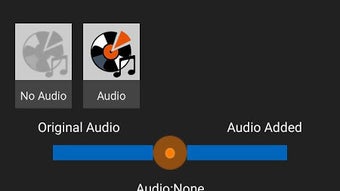
- Background Music Integration: The app supports adding music tracks from the device’s library, allowing users to synchronize audio with visual content.
- High-Quality Export: Videos can be exported in high resolution, ensuring clarity and detail suitable for online platforms and digital sharing.
These features collectively support a complete video editing workflow on mobile. For example, a user might record a travel vlog, trim unwanted segments, insert upbeat background music, apply a vintage filter, and add animated text to highlight locations. The intuitive interface enables such tasks with minimal learning curve, making it accessible even to those without prior editing experience.
User Interface, Workflow & Performance
Film Clip features a user-friendly interface designed for touch-based navigation on Android devices. The layout is organized around core editing functions, with clear icons and labeled toolbars to guide users through each step. Navigation is straightforward, allowing quick access to cutting tools, effects, text options, and export settings. The workflow follows a logical sequence: import video, edit using available tools, preview changes, and export. This structured approach enhances usability and reduces confusion during editing sessions. The developer did not specify resource usage details, so performance behavior in terms of CPU or RAM consumption remains unknown. However, based on general software behavior patterns, the app is expected to operate efficiently on modern Android devices with sufficient memory and processing power. Stability during editing sessions was not reported, but the app’s design suggests a focus on minimizing crashes during common tasks. Users can expect smooth interaction with the interface, especially when working with short to medium-length clips.
Compatibility & System Requirements
Film Clip is designed for Android operating systems and is available as an APK file for direct installation. The app supports a wide range of video formats, which enhances its flexibility across different recording sources. The exact system requirements were not listed, so compatibility with specific Android versions or hardware configurations cannot be confirmed. Installation size may vary depending on the device and included assets, but no specific file size was provided. The developer did not disclose minimum hardware specifications such as RAM or processor type. Users are advised to ensure their device meets general Android app standards for smooth operation. Platform compatibility information is limited to Android, with no indication of support for iOS, Windows, or Mac systems.
Pros and Cons
Pros
- Free to download and use with no in-app purchase barriers
- Intuitive interface suitable for beginners and casual users
- Supports multiple video formats for broad compatibility
- Offers a full suite of editing tools including effects, text, and transitions
- High-quality video export ideal for social media sharing
- Background music integration enhances creative expression
Cons
- No official app store listing; installation requires APK file
- Exact system requirements and performance data not disclosed
- Limited information about update frequency and developer support
- May lack advanced features found in desktop editing software
- Reliance on device storage for media files and editing
FAQ Section
Is Film Clip available on the Google Play Store?
Film Clip is distributed as an APK file and is not currently listed on the Google Play Store. Users must download the file from third-party sources to install the app.
Is Film Clip safe to install on Android devices?
While the app is designed for Android, users should only download the APK from trusted sources to minimize the risk of malware. Always verify the file’s authenticity before installation.
Can I use Film Clip without an internet connection?
Yes, Film Clip operates offline. All editing functions, including effects, text, and music integration, can be performed without an active internet connection.
Does Film Clip support video formats like MP4 and MOV?
Yes, the app supports a wide range of video formats, including common ones such as MP4 and MOV, ensuring compatibility with most smartphone recordings.
How often are updates released for Film Clip?
The update schedule was not provided. Users are advised to check the official source regularly for the latest version and potential improvements.
Final Thoughts
Film Clip stands out as a capable and accessible video editing solution for Android users who need to create engaging content on the go. Its comprehensive set of tools—cutting, merging, effects, text, transitions, and music—offers a solid foundation for producing high-quality videos suitable for social media platforms. The app’s emphasis on simplicity and visual appeal makes it ideal for beginners and content creators who prioritize speed and ease of use. While it lacks official app store distribution and detailed system requirements, its functionality and free access make it a compelling option. For those seeking a mobile-first editing tool that delivers professional results without complexity, Film Clip delivers value. Download Film Clip now to start creating dynamic, shareable videos with confidence.
Guides & Tutorials for Film Clip APK
How to install Film Clip APK
- Click the Preview / Download button above.
- Once redirected, accept the terms and click Install.
- Wait for the Film Clip APK download to finish on your device.
How to use Film Clip APK
This software is primarily used for its core features described above. Open the app after installation to explore its capabilities.
User Reviews for Film Clip APK 0
No reviews found





